What’s VisualDock Server?
VisualDock Server is an enterprise-grade environment for running container applications on Windows, built on the CNCF Docker Moby. It is compatible with standard Docker workflows and toolchains, and allows you to setup a full-featured Docker server in just a few clicks.
What is a container?
A container is an isolated, lightweight package for running an application on the host operating system. Containers make apps easier to develop, deploy, and manage.
Containers are created from images. These images are usually obtained by pulling them from public or private image registries. Users can also build and publish their own images.
What problem does VisualDock Server solve?
If you are reading this, you likely have a containerized application (or are planning to build one) that you need to run reliably and continuously on Windows Server. VisualDock Server solves this problem by providing an easy-to-install environment to run and manage containers.
How does VisualDock Server help with running containers?
VisualDock Server is a single installation package with the latest versions of all the components required to reliably run and manage containers in a Windows environment. It simplifies all aspects of administering a Docker server on Windows:
-
Installation and upgrades
The installation process completes in the Next-Next-Finish manner. Installing a new upgrade is usually just a matter of seconds.
VisualDock Server uses a standard, digitally-signed MSI package that operates transactionally and supports unattended installations, as well as distribution via Group Policy.
-
Regular updates
Patches and updates for all the underlying components are released on a regular basis.
-
Docker engine configuration
The engine can be configured directly through the Management Console, eliminating the need to manually edit configuration files or restart services.
-
Server status monitoring
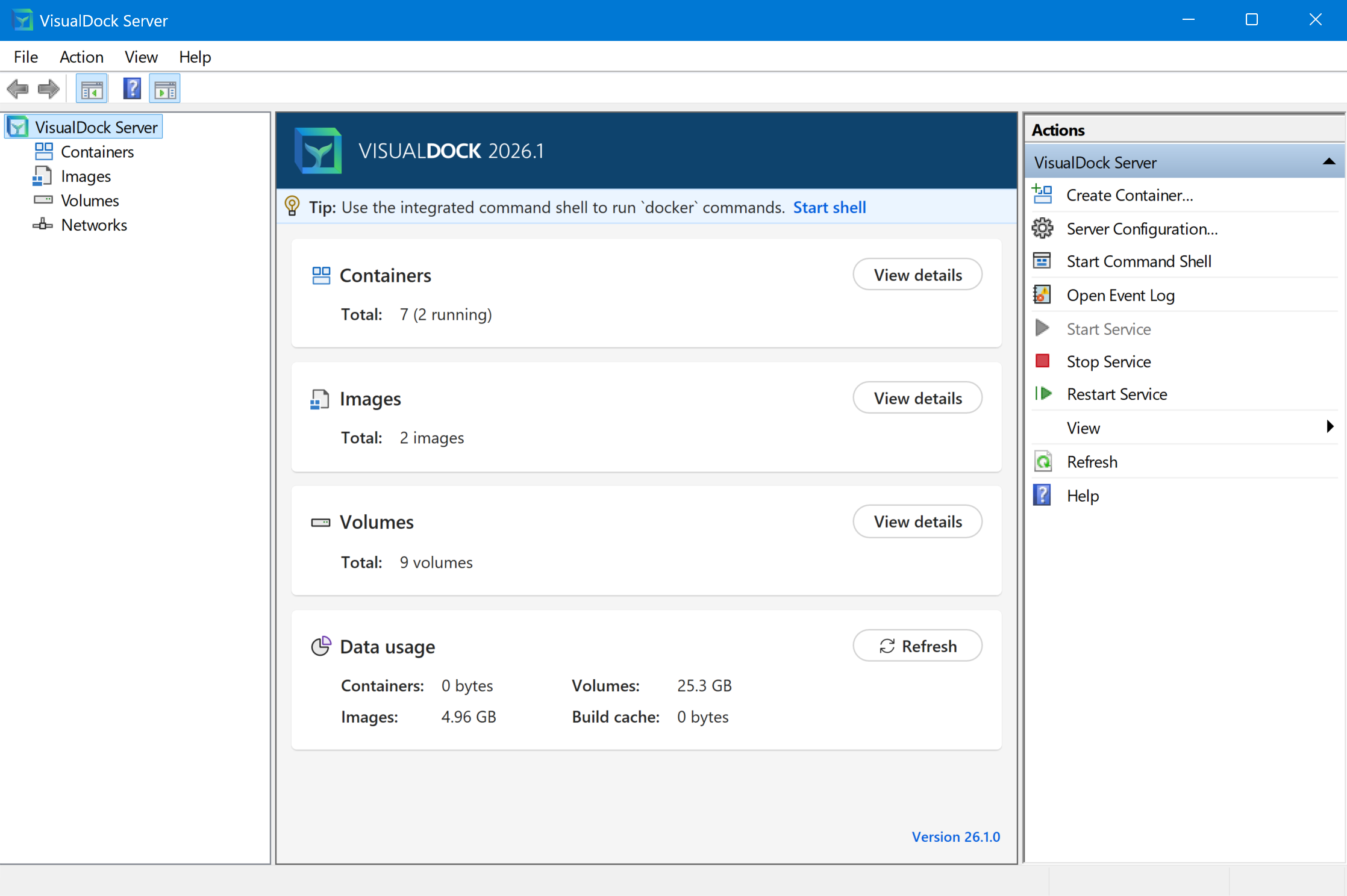
You can monitor overall server and container status, and quickly access frequently used commands straight from the Management Console.
-
Integrated command shell
VisualDock Server includes a command shell that can be used to run
dockercommands. -
Event logging
All engine events are written to the Windows Event Log.
By using VisualDock Server, a Docker engine can be installed and administered with native and intuitive Windows experience.