Pull an image
A container image is a template with all the components required to create a container. Images are typically obtained by pulling them from public or private image registries.
You can pull prebuilt images from well-known public registries like Docker Hub or Microsoft Container Registry.
How to pull a container image
Follow these steps to pull an image using VisualDock Server Manager:
-
Open VisualDock Server Manager.
-
Click the Images node in the left-hand pane.
-
Click Action → Pull Image… to show the dialog.
-
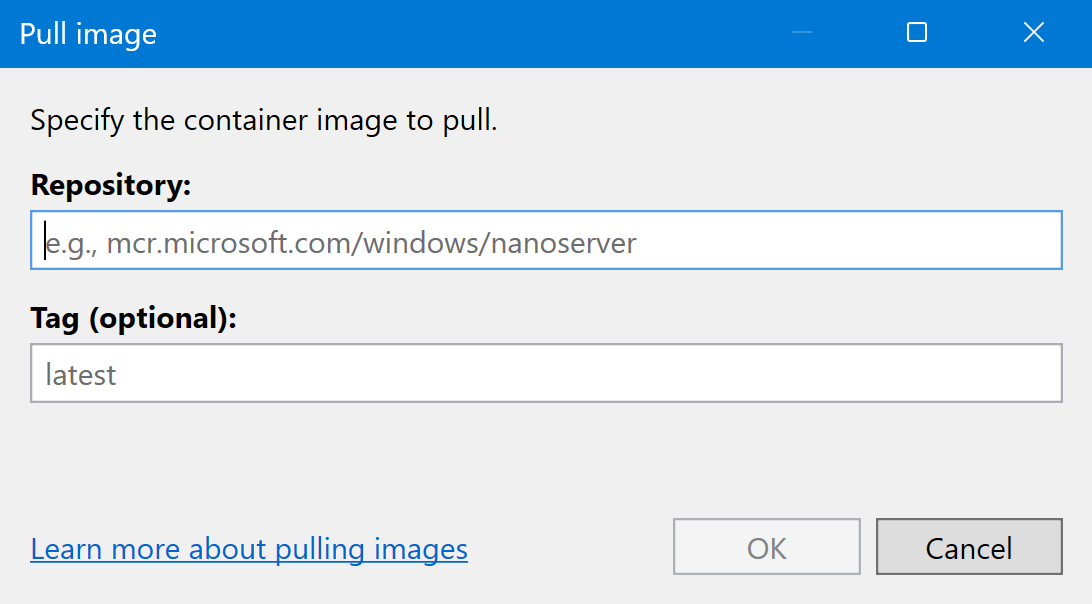
Provide values for Repository and Tag that identify the container image:
-
Repository: This required value identifies the set of images within an image registry.
For example, you can specify
mcr.microsoft.com/windows/nanoserveras the repository to pull an image of Windows Nano Server. -
Tag: This optional value identifies a specific image within the repository. If not specified, the
latestimage tag will be pulled.For example, you can specify
ltsc2025to pull the LTSC 2025 version of Windows Nano Server.
If you aren’t sure which repository or tag to use, most public image registries have a web interface search. Alternatively, you can use the
docker searchCLI command to find images on Docker Hub. -
-
Click OK to start pulling the image.